Most WMS systems offer simple if/then rules with dropdowns. Lagersystem’s Rule Engine uses TypeScript — a full programming language. That means:
– Complex logic with loops, conditionals and functions
– Access to all order data, product data and customer data
– No limits on what you can automate
– Version control and testing
					// Choose carrier based on weight and destination
if (order.totalWeight > 30 && order.country === 'DE') {
  order.cargoMethod = 'DSV';
} else if (order.deliveryType === 'pakkeshop') {
  order.cargoMethod = 'GLS_PARCELSHOP';
} else {
  order.cargoMethod = 'POSTNORD';
}
When an order is imported from your webshop, the Rule Engine can automatically change data. Add fields, change values, enrich with extra information.
Examples:
The most commonly used rule type. Automatic selection of carrier and shipping type based on weight, destination, order value, customer type or any other order data.
Examples:
Perfect for 3PL: automatic assignment of orders to the correct subsite based on webshop source, customer or product type.
Examples:
Automatically assign labels/tags to orders. Used to flag orders that require special handling.
Examples:
Automatic selection of which printer and shipping label template is used, based on order data.
Examples:
Automatically select the correct carrier and type for the return label based on the customer’s country and order data.
Automatically determine which products are imported from the webshop or ERP system. Filter out unwanted products.
Examples:
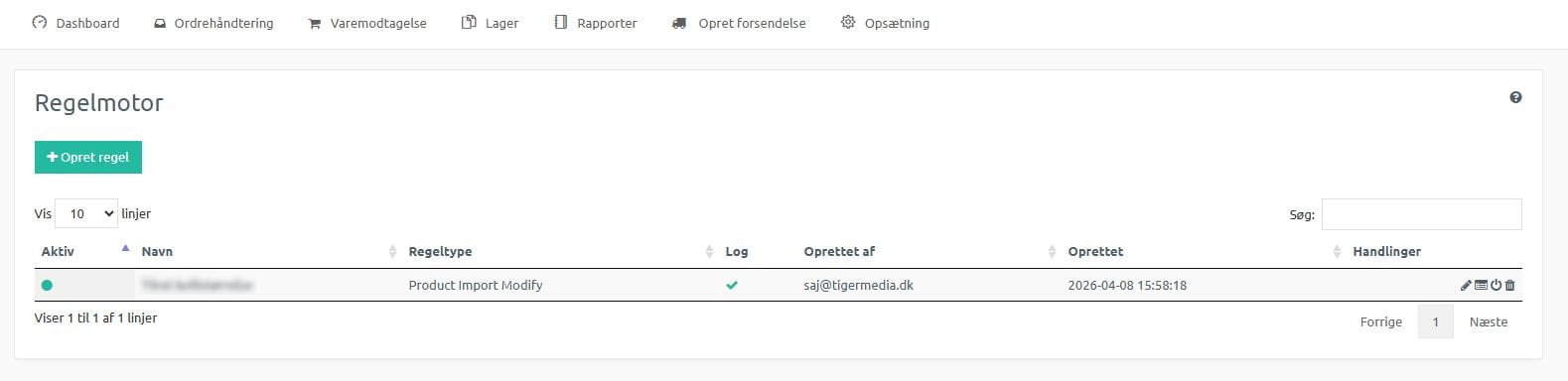
Automatically modify product data during import from external systems.
Examples:
Every rule execution is logged with full traceability. See exactly which rules ran on an order, what they changed, and whether they succeeded.
– Timestamp for every rule execution
– Input and output data
– Error messages on failure
– Filterable by order, rule and time period
Test your rules with real order data before activating them. See the result without affecting production data.
– Test with existing orders
– See expected output
– Compare before/after
– Iterate quickly
The Rule Engine is designed for developers and technically skilled users. Have a developer on the team — or are you one yourself? Then you have full control.
– TypeScript (JavaScript-compatible)
– Standard IDE support
– Version control possible via API
– No waiting on the Lagersystem team
Don’t have a developer? Our team can help set up rules that suit your business. Contact us for a chat.
The Rule Engine is part of a larger automation flow that runs on every order:
1. Order is automatically imported from webshop/ERP
2. Rule Engine runs: carrier selection, subsite assignment, label assignment, order modification
3. Pick and pack with handheld terminal
4. Shipping label is generated → payment is automatically captured** on the gateway
5. Tracking is sent to the customer via email/SMS
6. Order is automatically closed in the webshop
7. Invoice is automatically created and booked in the ERP
In addition to the Rule Engine, Lagersystem runs a number of background jobs:
Automatic import of orders from 9+ webshops and 8+ ERP systems with configurable intervals
Daily email with a CSV of items below minimum stock level
Automatic SMS when a parcel has been waiting at a parcel shop for a customisable number of days
Automatic archiving of photo documentation to S3
Automatic deletion of old log entries
Automatic anonymisation of personal data after a configurable period
Automatic updating of exchange rates
Automatic synchronisation of product data from external systems
Book a demo and see how TypeScript-based rules automate your warehouse workflow.
Get a personal walkthrough in 30-60 minutes. We’ll show you exactly how Lagersystem suits your business — with a focus on the features that matter most to you.
We typically get back to you within 24 hours on weekdays.